LinkedIn
 Facebook
 Email
Email
 Twitter
 Quickly evaluate current rents with QuickView™ Rent Estimates
Updated October 20, 2026
When you share rental data with a client, the numbers matter, but so does how you present them.
A professional, branded rent report can reinforce your expertise and make your rental analysis feel like a natural extension of your business.
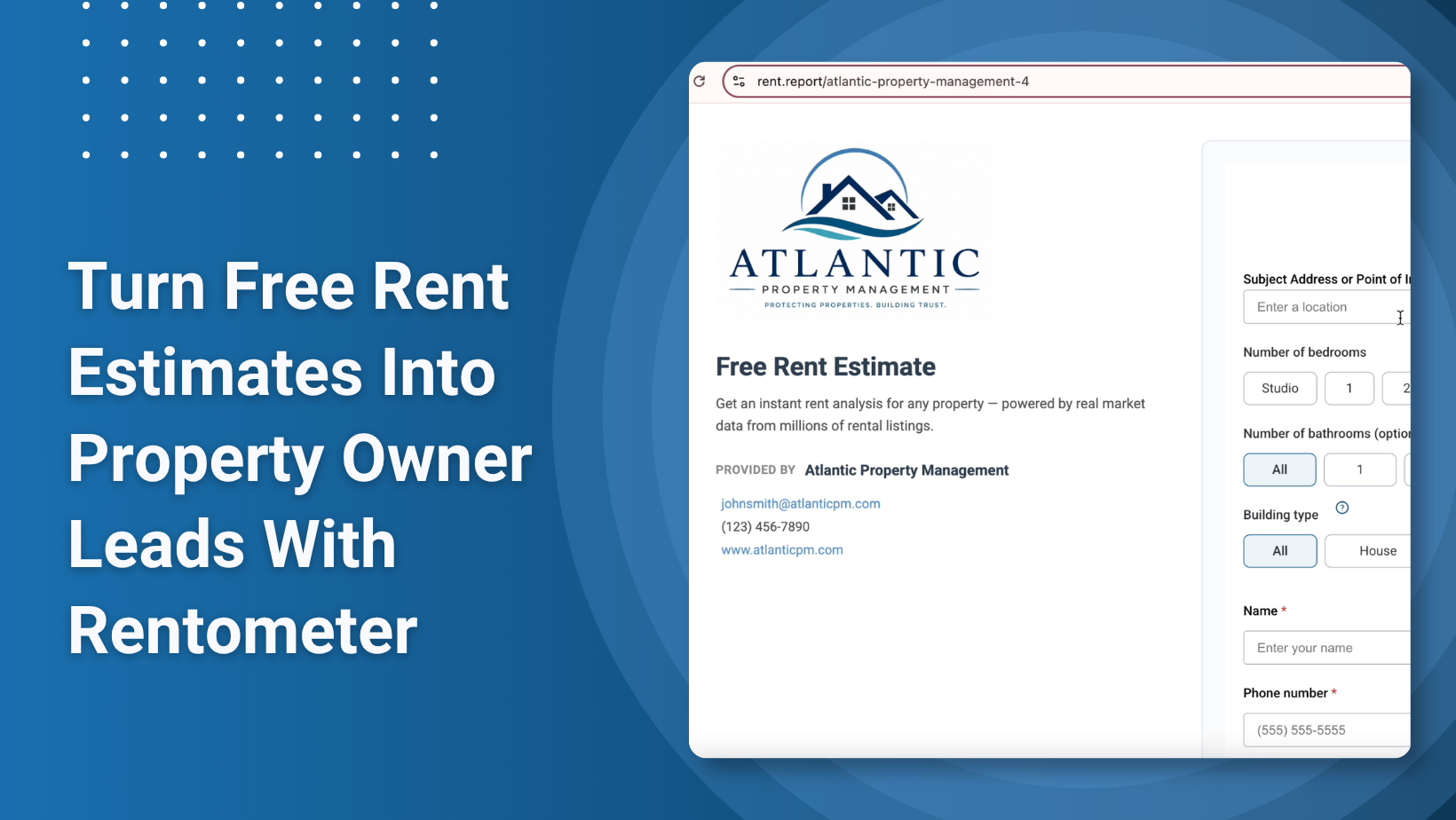
With Custom Branding, Rentometer Pro subscribers can add their logo and contact information to Pro Reports, creating polished, client-ready rental reports without manually editing PDFs or using separate design tools.
Stay connected
Get rental market insights delivered straight to your inbox.
Whether you’re a property manager recommending a rental rate to an owner or an agent helping an investor evaluate a property, Custom Branding helps keep your business front and center.
In this guide, we’ll show you how to set up Custom Branding, apply it to your Pro Reports, and use branded rent reports in your client conversations.
Why Brand Your Rent Reports?
When you send a rental analysis to a client, you’re not just sharing data. You’re demonstrating your knowledge of the local rental market.
Adding your branding to Rentometer Pro Reports can help you:
- Present a more professional analysis to owners, investors, and prospects
- Reinforce your expertise with reports backed by rental comps and market data
- Keep your business visible by including your logo and contact information
- Save time by creating client-ready reports without additional formatting or design work
Instead of sending a generic rental report, you can deliver an analysis that looks and feels like it came directly from your business.
Who Can Benefit From Branded Rent Reports?
Custom Branding is especially useful for real estate professionals who regularly use rental data in conversations with clients.
Property Managers
Use branded Pro Reports when discussing market rents, pricing a new property, or reviewing rental rates with owners. Your branding stays attached to the analysis, helping reinforce your role as the local expert behind the recommendation.
Real Estate Agents and Brokers
Share branded rental comps and market data with investor clients and prospects evaluating potential rental properties. A polished report can help you support your recommendations with data while keeping your name and contact information visible.
What Is Rentometer Custom Branding?
Custom Branding is a Rentometer Pro feature that allows you to personalize Pro Reports with your business branding and contact information.
Once your branding profile is set up, it can appear on Pro Reports you download or share with clients.
That means you can go from researching a property’s rental market to delivering a professional, branded report without recreating the analysis in another program.
How to Set Up Custom Branding
Step 1: Get Rentometer Pro
Custom Branding is available exclusively with Rentometer Pro.
If you’re not already a Pro subscriber, you can explore our plans or start a free Pro trial to access Custom Branding along with Rentometer’s other Pro tools.
Step 2: Go to Your Branding Settings
After logging into Rentometer:
- Click your email address in the upper-left corner.
- Select My Account.
- Click Manage Your Custom Branding.
Step 3: Create Your Branding Profile
Add your business information, including:
- Your name and contact information
- Your business information
- A high-resolution version of your logo
Click Create Branding to save your profile.
Once your profile is created, you can select it when creating reports.=
How to Apply Custom Branding to Pro Reports
Select Your Branding Profile
From the Rentometer homepage, use the Report Branding dropdown to select your custom branding profile before running a rent estimate.
Your selection will be saved and applied to future Pro Reports unless you change it.
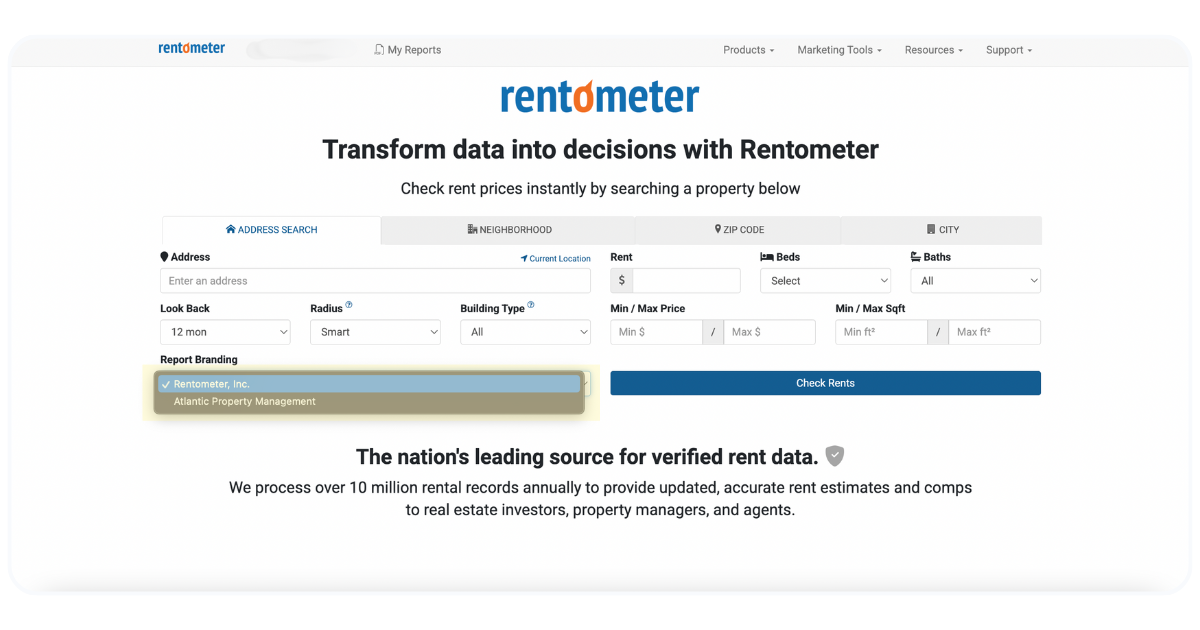
💡 Your selection will be saved and automatically applied the next time you generate a report.
Share a Branded Pro Report
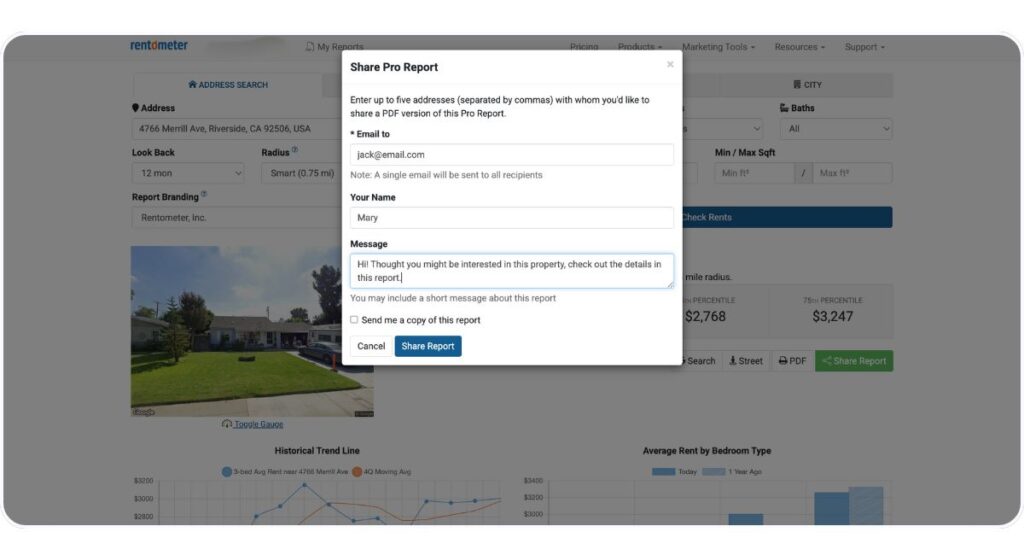
You can share a Pro Report directly with a client from Rentometer:
- Run a QuickView™ Rent Estimate.
- Open the Pro Report.
- Select Share Report.
- Enter the recipient’s email address, your name, and an optional message.
- Click Send.
This makes it easy to send your rental analysis directly to an owner, investor, or prospect while keeping your branding attached to the report.
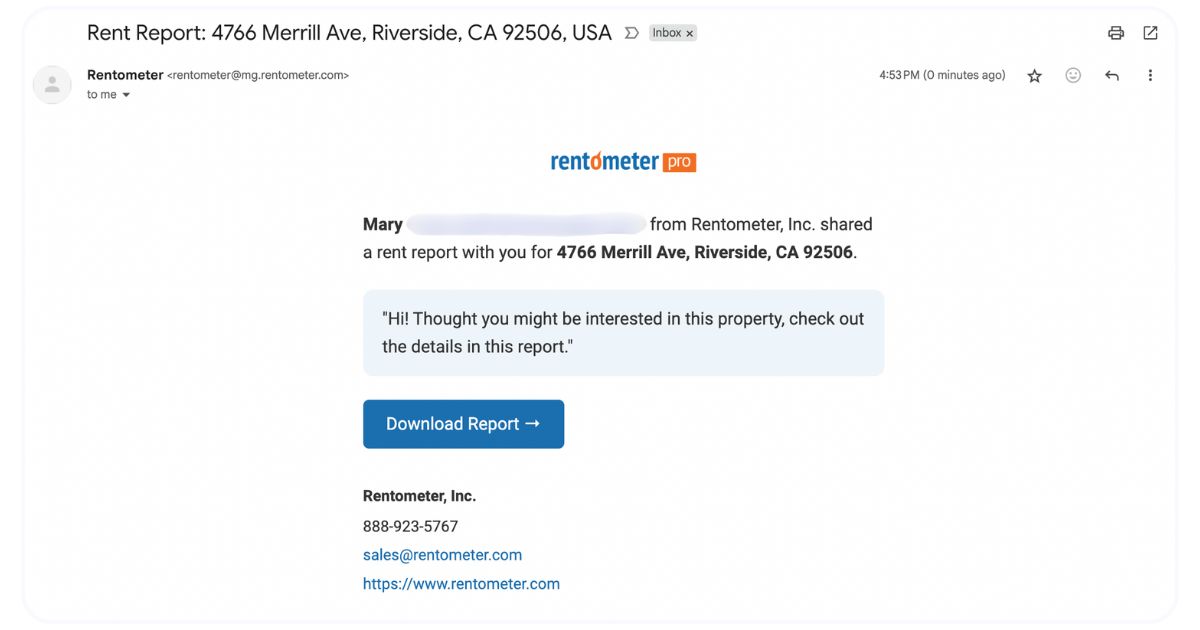
Here’s what your report will look like when it lands in your recipients inbox:
Download a Branded PDF
Prefer to send the report yourself or include it with a proposal?
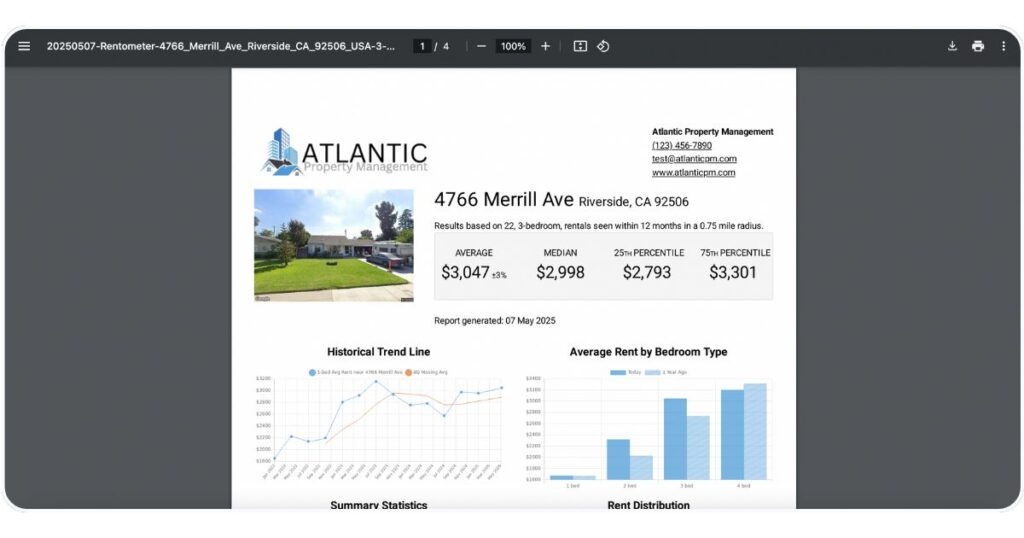
You can also download your Pro Report as a PDF. Your selected branding will appear on the report, giving you a client-ready document you can email, print, present, or save for your records.
Turn Rental Data Into a Client-Ready Resource
Rentometer provides the rental data. You bring the local knowledge and client relationship.
Custom Branding brings the two together.
With branded Pro Reports, you can support your rental recommendations with market data while presenting the analysis under your own business identity.
For property managers, that could mean sending an owner a professional report to support a recommended asking rent. For agents, it could mean giving an investor rental comps to help evaluate a potential acquisition.
Either way, you’re not just sending numbers. You’re giving your client a professional resource they can associate with you and your expertise.
Create Branded Rent Reports With Rentometer Pro
Custom Branding is available with Rentometer Pro and can be applied to the Pro Reports you share or download.
Use your own logo and contact information to turn rental market research into polished, client-ready reports.
Stay connected
Get rental market insights delivered straight to your inbox.